The Government of Pakistan takes initiative step to launched the Power Smart Application under the “Apna Meter, Apni Reading”. The application allows you to self report meter reading, pay bill via different payment methods, load shedding schedule, duplicate bill and complaints facilities from home.
How to Operate “Apna Meter, Apni Reading” System?
Follow this step-by-step guide to record your meter reading, submit it through the official portal i.e. Power Smart Application, and confirm your submission to ensure accurate billing.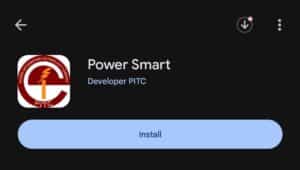
Step 1: Visit the Google Play Store on Android and App Store on IOS.
Step 2: Type “Power Smart Application” on Search bar.
Step 3: Click on install “Power Smart Developer PITC”.
Step 4: After installing the app, open it. You will see three options to sign in, but if you are a new user, you must first complete the Sign Up process.
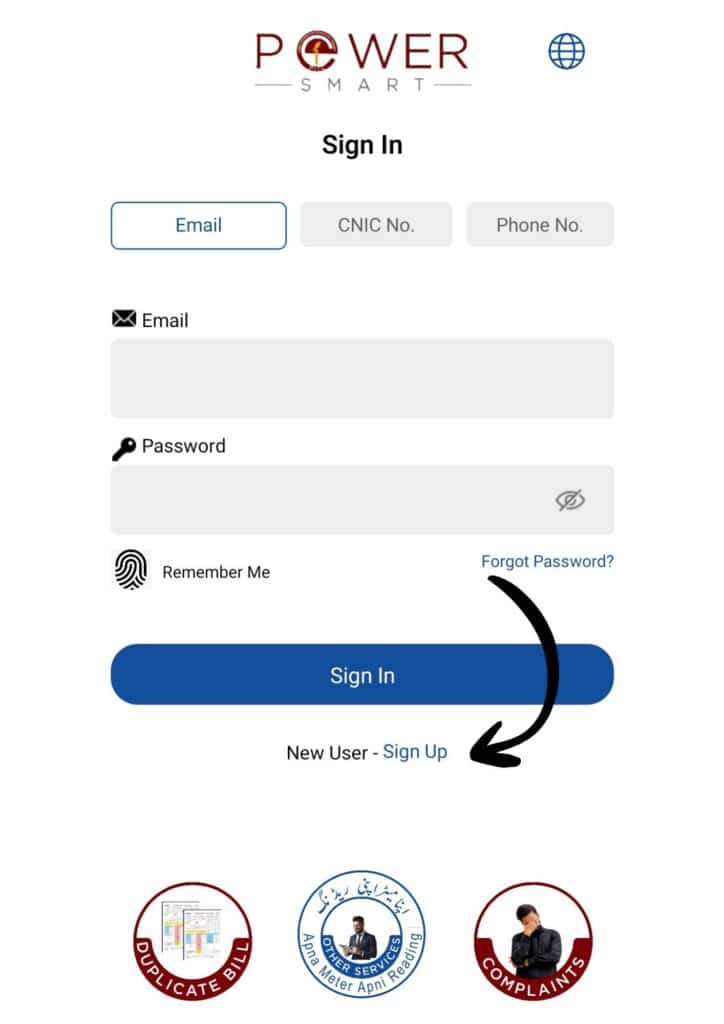
Step 5: Select your Distribution Company. MEPCO, LESCO, GEPCO, FESCO, IESCO,PESCO,HAZCO,HESCO etc.
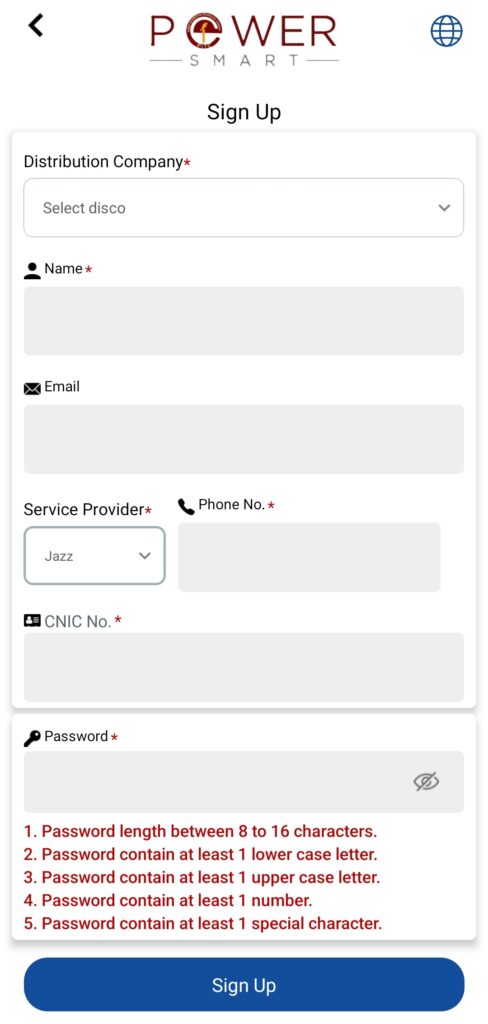
Step 6: Enter your Full Name, E-mail Address, Contact Number, CNIC Number, and create a secure password to complete the registration form.
Instruction to create password:
- 8 to 16 characters.
- At least 1 lower case letter.
- At least 1 upper case letter.
- At least 1 number.
- At least 1 special character.
Step 7: Click on Sign Up.
How to Submit Meter Readings?
Step 1: Open the app and Log In your account via Email, CNIC Number or Phone Number.
Step 2: Enter the password that you created earlier during the sign-up process.
Step 3: Click on Sign In.
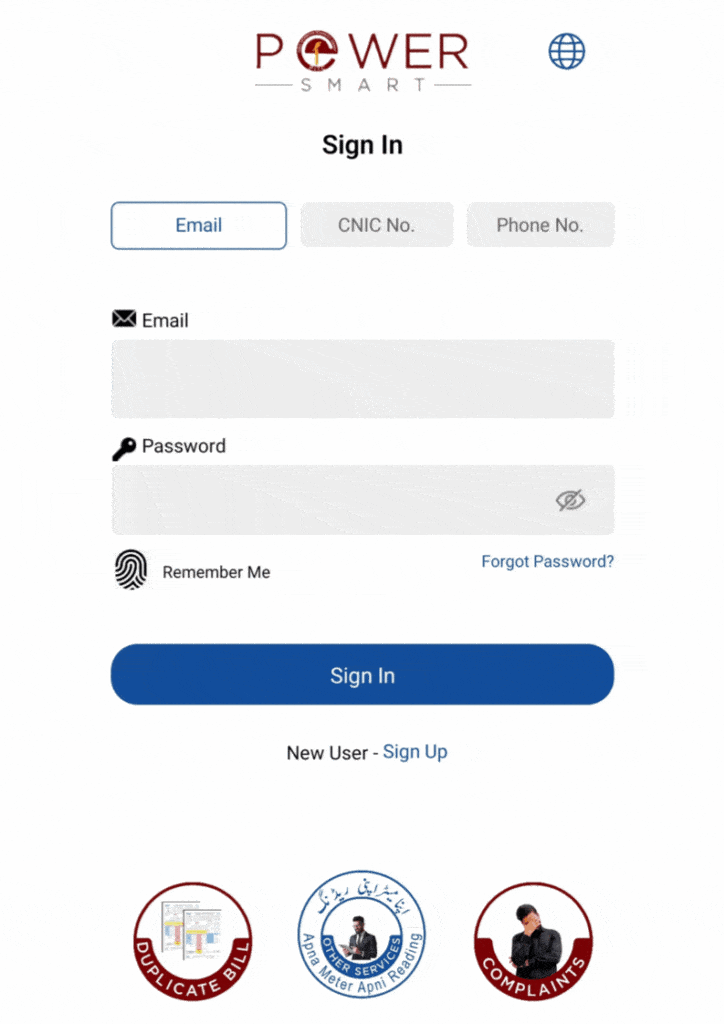
Step 4: Then click on “Meter Reading” option
Step 5: Enter your 14-digits reference number.
Step 6: Take clear picture of your meter reading and submit them.
Supported Meter Categories
- Single Phase
- Three Phase
- Net Metering
Key Features
Self Upload Meter Reading
The Power Smart App offers Self Upload Meter Reading feature that allows users to manually enter their electricity meter readings directly through the app. This ensures accurate and transparent billing, eliminates the need for meter readers to visit your home. By submitting your own readings on time, you can avoid estimated bills and ensure that you are charged only for the actual units consumed.
Load Shedding Alerts
App provides real-time load shedding alerts, keeping users informed about scheduled and unscheduled power outages in their area. With this feature, users can plan their daily activities efficiently, avoid unexpected interruptions, and stay updated on power restoration times. It ensures better convenience and awareness, allowing households and businesses to manage their electricity usage more effectively.
Usage Monitoring
App offers a Usage Monitoring feature that allows users to track their electricity consumption in real time. By regularly checking usage patterns, users can identify high-consumption periods, manage their energy more efficiently, and potentially reduce their electricity bills. This feature promotes smart energy management and helps users make informed decisions about their daily power usage.
Duplicate Bill
App allows users to download duplicate bills anytime, providing easy access to past and current electricity bills. With duplicate bills available instantly, users no longer need to visit the office or wait for physical copies, ensuring convenience and time-saving.
Complaints
App includes a Complaints feature that enables users to report issues directly to the electricity provider. Whether it’s faulty meters, billing errors, or power outages, users can submit their complaints quickly and track their status until resolution. This feature ensures efficient problem handling, transparency, and better customer support without the need to visit service centers in person.
Frequently Asked Questions (FAQs)
How do I apply for a new connection?
To apply for a new electricity connection, you can submit your application online through the ENC (Electricity New Connection) System.
How to check MEPCO Bill by SMS?
Type “MEPB STMT No Meter No Date of Meter Reading” and send it to 46040.
How to check MEPCO Bill Online?
You can check MEPCO bill online by visiting the MEPCO official website and entering your Reference Number in the bill inquiry section to view your bill amount and due date.
How to calculate MEPCO bill?
You can calculate your MEPCO bill instantly using the MEPCO Bill Calculator. Just enter your units consumed, and the tool will show your bill amount automatically.