MEPCO New Connection
If you want to get a New MEPCO Connection, this is the online, easiest and simple process. Multan Electric Power Company (MEPCO) has made it easier for consumers to apply for a new connection through its ENC System. You can now submit your request, upload required documents, and track your application status.
How to Apply for a MEPCO New Connection Online
Follow these simple steps to apply for your new electricity connection online:
- Go to the official Electricity New Connection (ENC) website.
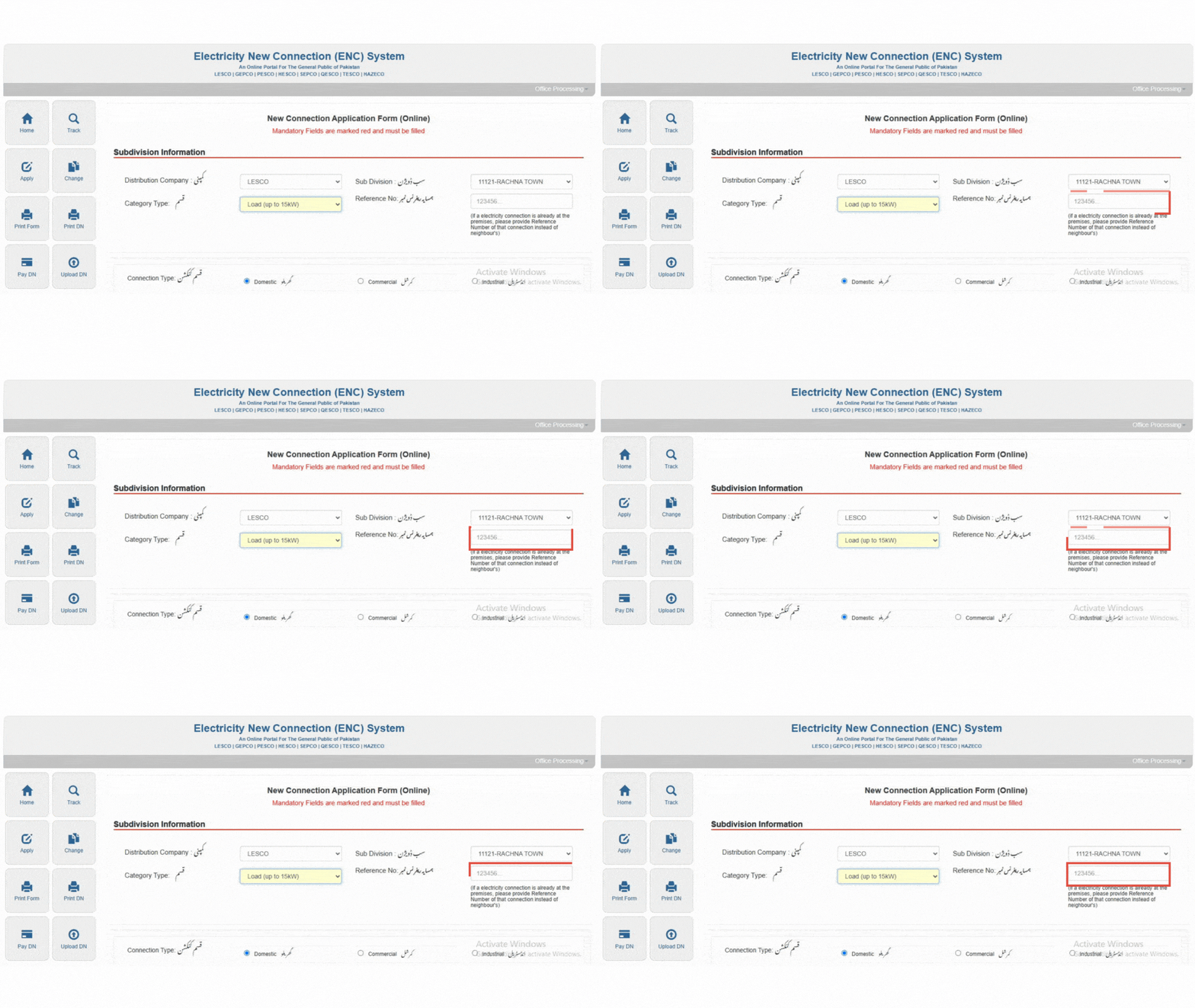
- Click on “Apply New Connection”, available on left side of your screen
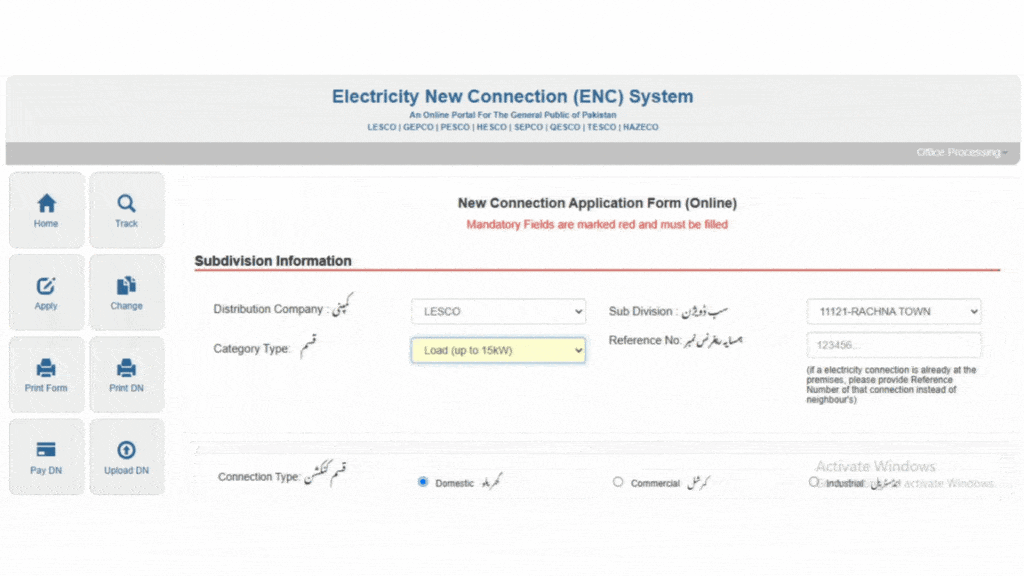
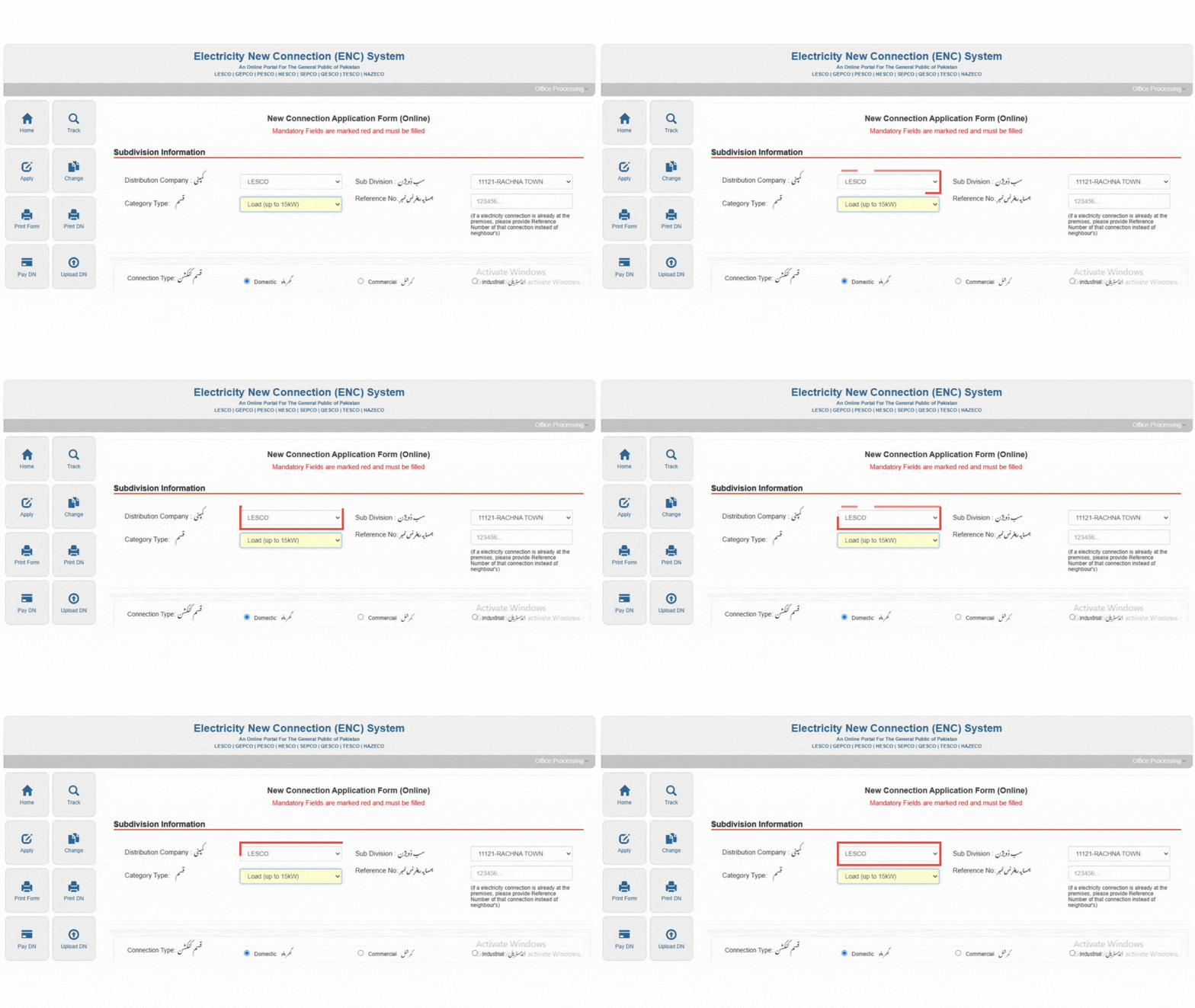
- Select Your Distribution Company. Once you click on drop down box you select your desired company i.e. MEPCO, GEPCO, LESCO, PESCO, HESCO etc
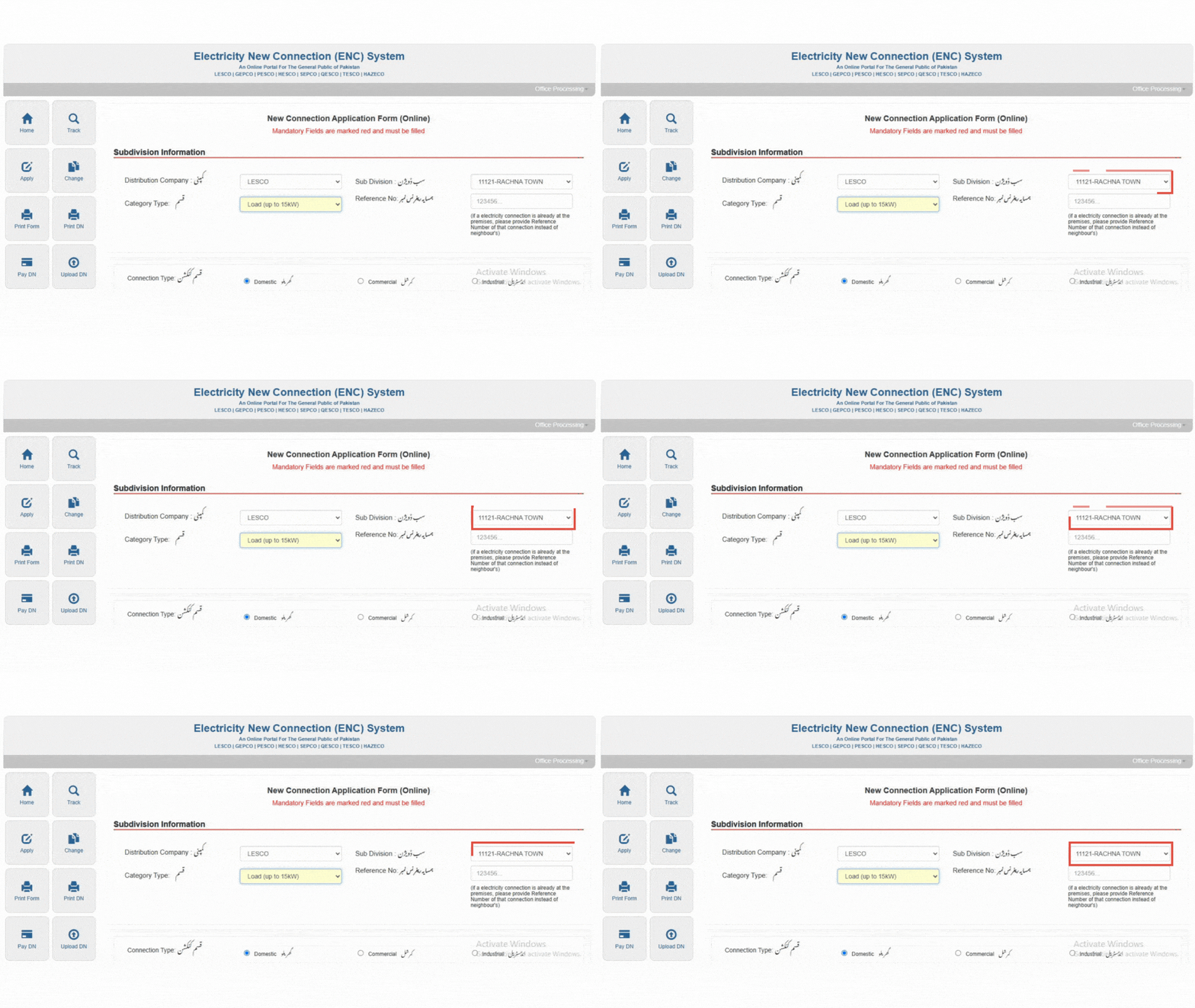
- Click on Sub Division Box and select your Sub Division.
- Click on Category Type, there are five type of categories:
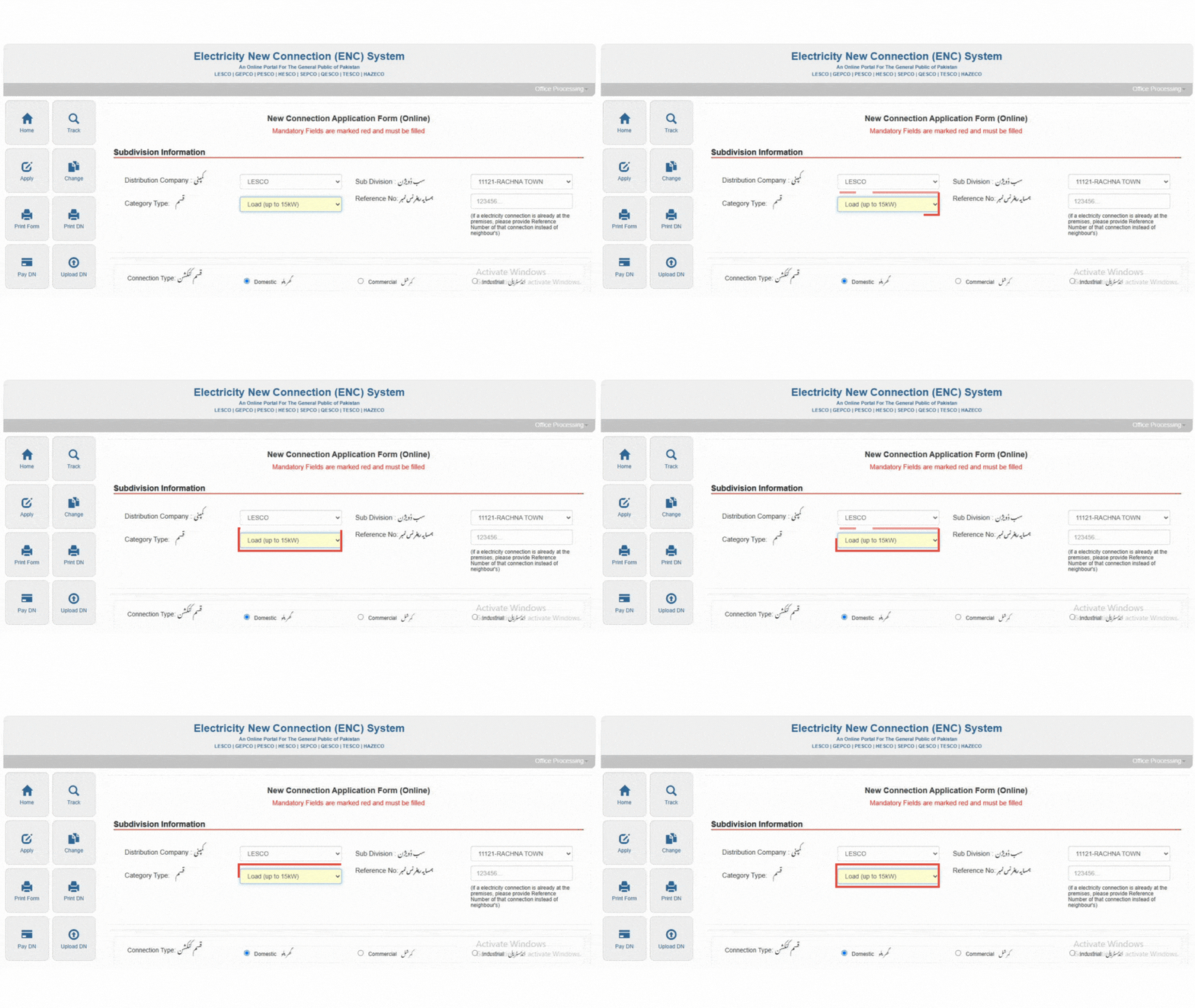
-
- Load (Up to 15 KW)
- Load (Above 15 KW but not exceeding 70 KW)
- Load (Above 70 KW but not exceeding 500 KW)
- Load (Above 500 KW but not exceeding 5000 KW)
- All loads at 66 KV and above.
- Enter your neighbor electricity meter reference number.
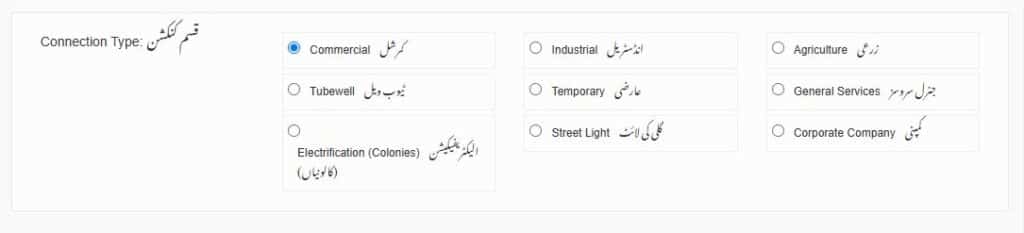
- Select connection type, there are ten type of connection:
- Domestic
- Commercial
- Industrial
- Agriculture
- Tubewell
- Temporary
- General services
- Electrification (Colonies)
- Street Light
- Corporate Company
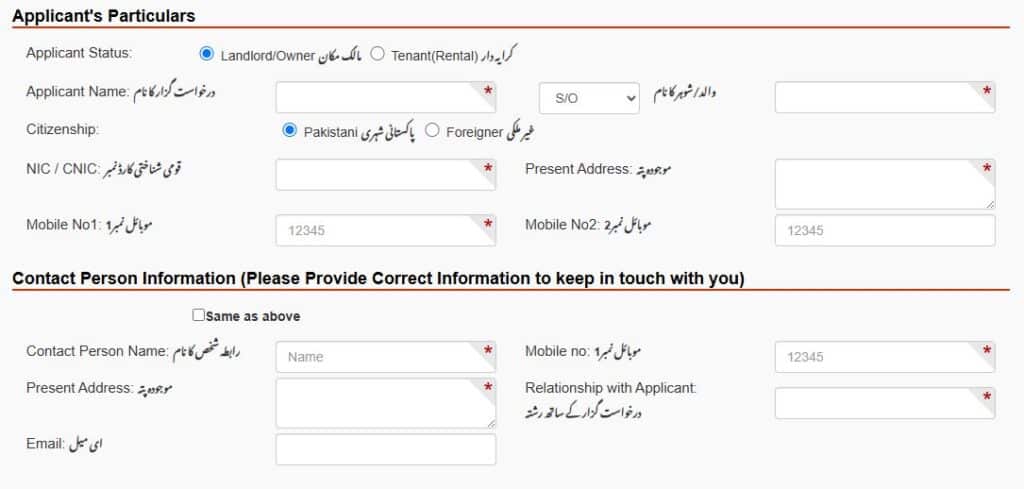
- Fill out the Application Form, Enter your personal information, CNIC number, contact details, and the address where you want the new connection.
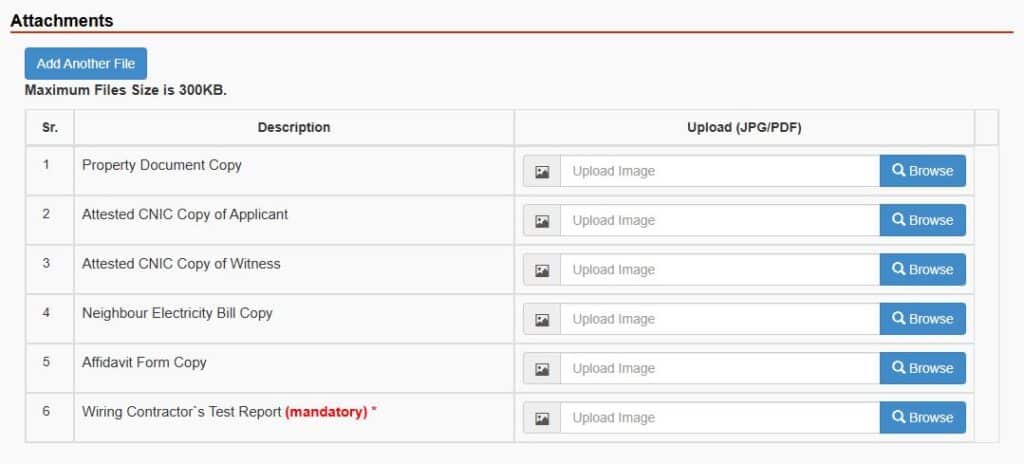
- Upload the necessary documents such as:
- Property Document Copy
- Attested CNIC Copy of Applicant
- Attested CNIC Copy of Witness
- Neighbor Electricity Bill Copy
- Wiring Contractor’s Test Report (Essential)
- Keep in mind Maximum Files Size is 300KB.
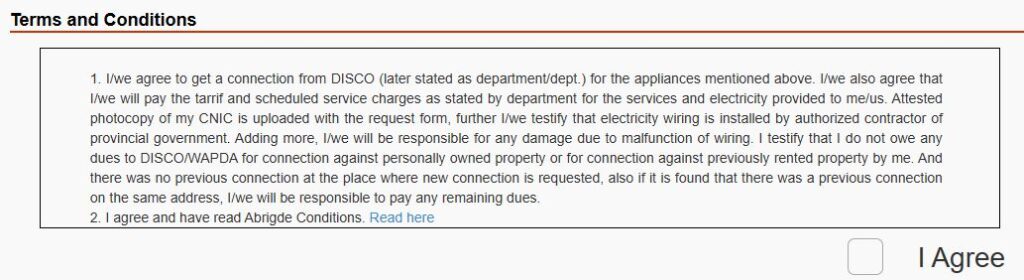
- Read Terms and Conditions
- Click on Submit Button
MEPCO New Connection Requirements
Before applying, make sure you have the following:
- Valid CNIC of the applicant
- Ownership or tenancy proof
- Recent neighbor’s bill
- Load requirement (Domestic, Commercial, or Industrial)
- Undertaking form (signed by applicant)
MEPCO New Connection Fee
The new connection fee depends on your load requirement and connection type. The charges include:
- Security deposit
- Service line cost
- Meter installation fee
Time Required for MEPCO New Connection
Generally, MEPCO takes 15 to 30 working days to process a new connection after successful document verification and payment.
Common Reasons for Application Rejection
Your application may be delayed or rejected due to:
- Incomplete or incorrect documents
- Pending dues at the connection site
- Unauthorized wiring connections
Check Your MEPCO Estimate Bill / Calculator
Frequently Asked Questions (FAQs)
How do I apply for a new connection?
You can apply for a new connection through the ENC (Electricity New Connection) System on the official MEPCO website.
What is the estimated time for a new MEPCO meter installation?
The estimated time for a new Multan Electric Power Company (MEPCO) meter installation depends on your connection category:
- Category 1 (Up to 15 kW): 30 days.
- Category 2 (16 – 70 kW / 400 V): 44 days.
- Category 3 (71 – 500 kW / 400 V): Up to 73 days.
What documents are needed?
These are the necessary documents such as:
- Property Document Copy
- Attested CNIC Copy of Applicant
- Attested CNIC Copy of Witness
- Neighbor Electricity Bill Copy
- Wiring Contractor’s Test Report (Essential)
Where can I find the forms?
You can find the forms for a new connection through the Electricity New Connection (ENC) System.
What is the ENC system?
The ENC (Electricity New Connection) is an online system that allows consumers to apply for new electricity connections, saving them the need to visit local offices.
If you have any queries about your MEPCO bill or online checking process, feel free to Contact Us. In case you face any issues related to your Electricity Connection, Meter, or Power Supply, please visit your nearest MEPCO office or call the official MEPCO Helpline for assistance.