If you want to check your MEPCO bill by SMS, the first step is to register your Mobile Number and Reference Number with the official MEPCO SMS service. Once your registration is complete, you can easily receive your monthly electricity bill details directly on your mobile phone. This service allows you to check your bill amount and due date without needing internet access. It’s a quick and convenient way to stay updated with your electricity bills through a simple SMS.
How to Register for MEPCO SMS Service?
To check your bill through SMS, you follow these simple steps to complete your registration:
- Visit the Official MEPCO SMS registration page.
- Enter your Reference Number.
- Enter your Mobile Number.
- Submit your Information.
- After filling out the details, click on the Register or Submit button.
- Once your number is registered, you will receive a confirmation SMS from MEPCO. From the next billing cycle, your bill information such as bill amount, due date, and issue date will be sent to you automatically every month via SMS.
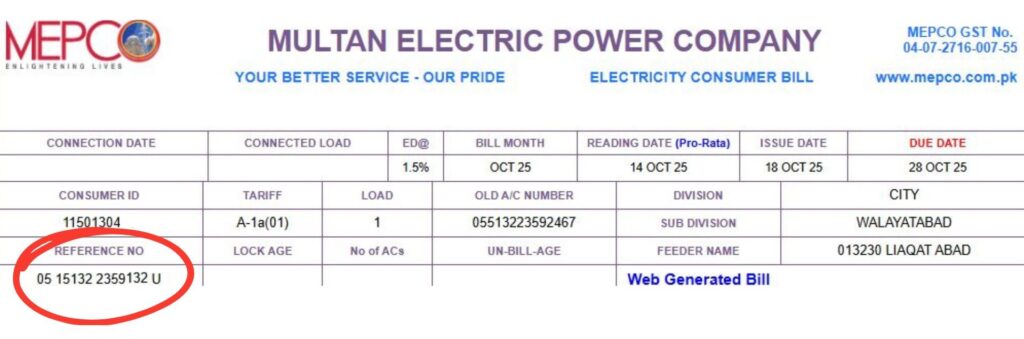
Send an SMS to check your current bill
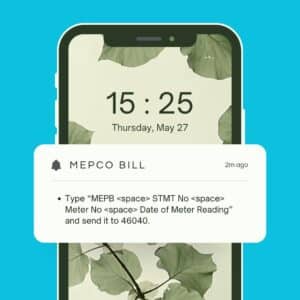
Once you have the reference number (and your mobile is registered or you know the correct format), you can send an SMS to get your bill details. Here are typical formats:
- Type “MEPB <space> STMT No <space> Meter No <space> Date of Meter Reading” and send it to 46040.
- Second Way Type “pitc <space> 14-digit-Reference Number and send to 8334”.
After sending the SMS, you should receive back an SMS containing your current bill amount and due date.
Tips & Things to Remember
- Make sure you use correct mobile number format i.e. 92 instead of the leading 0. Example: 92300xxxxxxx.
- Always verify you’ve entered the exact 14-digit reference number (no spaces) or correct meter / consumer ID. Mistyped numbers will return “bill not found”.
- The service may depend on your region and whether your mobile number is registered with MEPCO for SMS alerts.
- Using the SMS method helps if you don’t have internet access or printed bill to hand.
- The SMS service gives you the bill amount and due date if you want to view full bill details (Total Units Consumed, Previous Payments, etc.) you may still use the online portal or duplicate bill service.
Check Your MEPCO Estimate Bill / Calculator
Frequently Asked Questions (FAQs)
How do I check my Mepco bill?
You can check your MEPCO bill by visiting the official website and entering your 14-digit reference number or Consumer ID.
How can I check my electricity bill online?
You can check your electricity bill online by visiting your company’s official website, entering your reference number or consumer ID, and clicking on “Check Bill” to view your latest bill details.
How do I check my bill number?
You can find your Bill Number (Reference Number) on any previous MEPCO bill. it’s a 14-digit number printed on the top left corner of your bill.
How to check KE bill via SMS?
To check your KE (K-Electric) bill via SMS, type “BILL [space] your 13-digit account number” and send it to 8119.
If you have any queries about your MEPCO bill or online checking process, feel free to Contact Us. In case you face any issues related to your Electricity Connection, Meter, or Power Supply, please visit your nearest MEPCO office or call the official MEPCO Helpline for assistance.